
1. [Lock QuickFox] Swipe up from the bottom to pull out the task management interface, click the menu button in the upper right corner of QuickFox, and click Lock to keep it running in the background;
2. [Turn off QuickFox] Open "Settings-Battery", click on QuickFox, and turn off the corresponding switch of QuickFox;
如果没有应用速冻,可以找到“设置-电池-应用耗电管理”
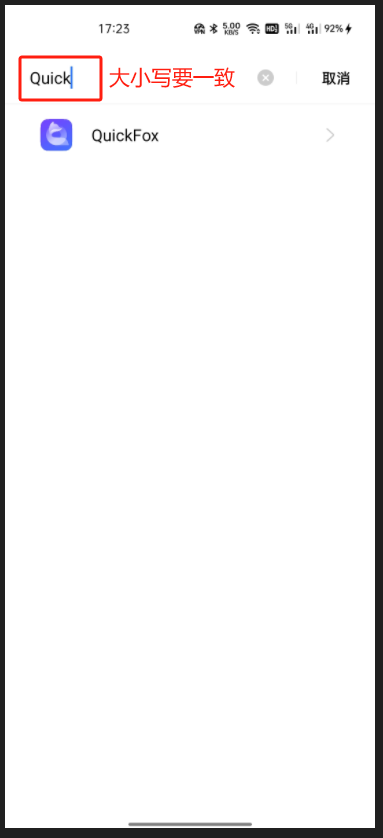
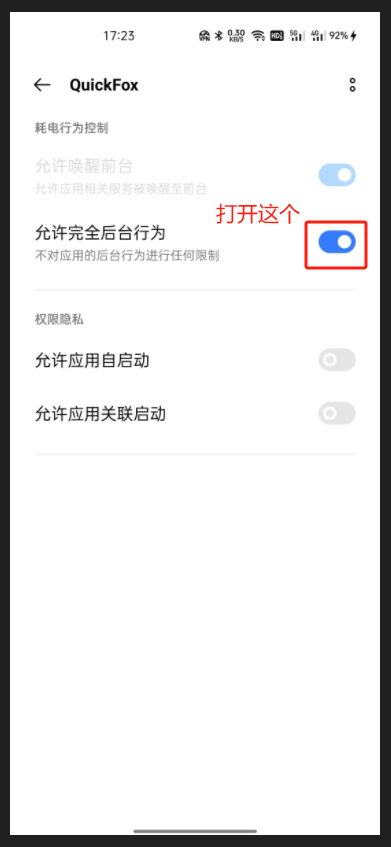
Notice:如完成以上操作后仍发生掉线,可再尝试完成下列操作;
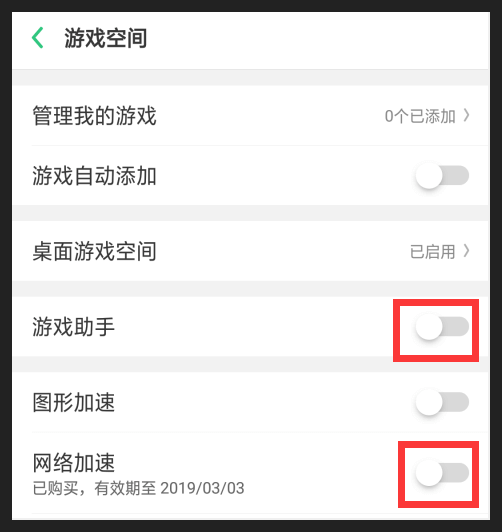
3、【关闭系统加速服务】依次打开“设置-游戏空间”,关闭网络加速和游戏助手;
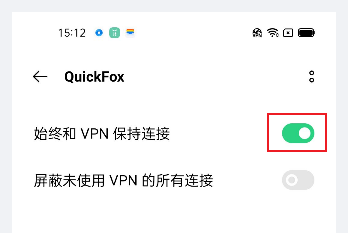
4、【开启VPN保持连接】依次打开“系统设置-连接与共享-VPN”,点击QuickFox,开启"始终和VPN保持连接";
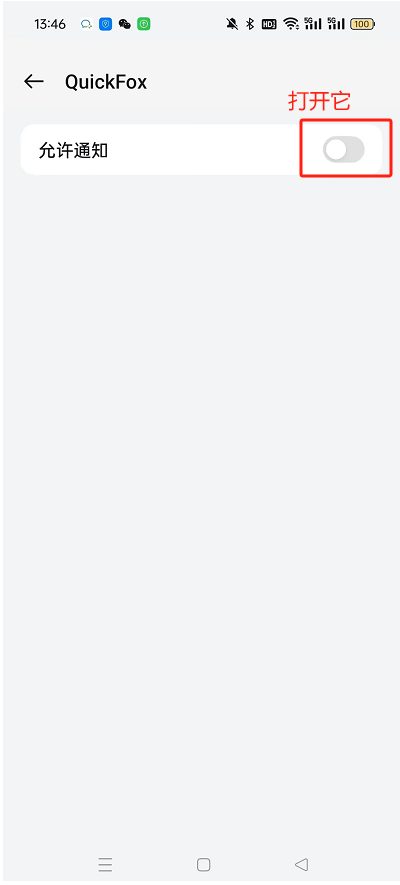
5、【允许信息通知】长按APP图标-选择应用详情-点击通知管理-打开允许通知;
以上操作仍然无法解决问题?点击联系QuickFox人工客服,并上传问题截图以便快速定位。
工作时间:周一至周五 北京时间 9:30-12:00,13:30-19:00。