 ×
×
Enter the redemption code after downloading.QF51Get 12-Hour Free Membership
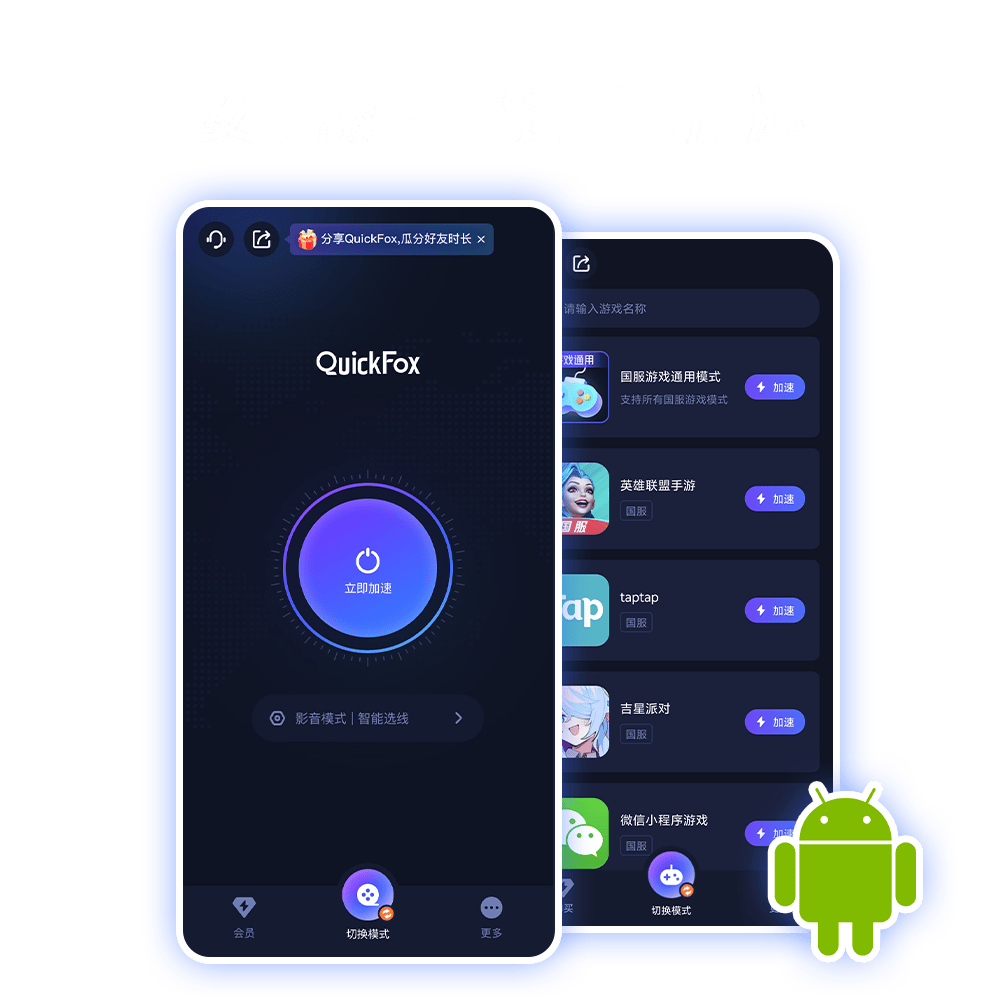
QuickFox New User Redemption Code:QF51
QuickFox is simple and easy to use; you can easily enable accelerated access to China in just three steps.
Download and install QuickFox Return to China Accelerator on your device →
Register using your email address, or log in directly using a third-party account.
Click the Accelerate button and restart the application that needs to be accelerated
Download and install now to enjoy 12 hours of membership - Redemption Code QF51
View detailed installation instructions ›QuickFox focuses on accelerating the return to China from overseas. With its 6 core advantages, it provides overseas Chinese and international students with a stable, smooth, safe, and worry-free one-stop acceleration experience for returning to China!

QuickFox is equipped with dedicated lines for both Chinese games and streaming media, directly connecting to domestic servers to effectively reduce latency and packet loss, making it smoother and more stable for overseas users to play Chinese games and watch Chinese movies and TV shows.

QuickFox offers unlimited speed and data usage without bandwidth compression, ensuring a stable connection day or night, even during peak hours. Enjoy worry-free streaming, downloading, office work, and gaming without having to meticulously manage your data usage.

QuickFox has deployed a large number of high-speed and stable nodes around the world, covering major overseas regions, supporting intelligent access from the nearest node, serving many overseas Chinese and international students, and providing comprehensive, 24/7 stable and accelerated return to China.

QuickFox automatically identifies domestic and local applications. When accessing domestic applications, it uses the accelerated nodes in China, while when using local applications, it uses the local network without being affected. There is no need to switch manually, so you can do both without any problems.

QuickFox fully supports multiple terminals including Windows, macOS, iOS, Android, and TV. One account can be switched freely between multiple platforms, supporting multiple users to share and enjoy a fast experience.

QuickFox uses the Curve25519 high-level encryption algorithm, paired with Alibaba Cloud's financial-grade intranet dedicated line, and has passed multiple authoritative security certifications, comprehensively protecting your data privacy and usage security.
Having worked overseas for almost a year, the most frustrating thing is that domestic apps often get stuck loading and take forever to load, making it difficult to watch a show. I've tried several different accelerators for accessing China, but after comparing them, I finally settled on QuickFox. I rarely encounter speed limits when watching anime or listening to music on Bilibili, so the experience is pretty good.

Doris the Bean
Excerpt from AppStoreI recently went abroad to study, and playing Chinese games like Honor of Kings and Delta Force was incredibly laggy. After using QuickFox accelerator, the game ping stabilized, and I can finally play five-player ranked games with my classmates and friends back home without worry!

Just getting by!
Excerpted from GooglePlayThis is the most annoying thing about going abroad! When I want to watch Chinese dramas or listen to songs I've saved, the app just says "Not applicable to your region." I've been using QuickFox, and the connection is generally stable. Watching dramas and listening to music doesn't lag much, and it's easy to use without any hassle. If you want to use Chinese apps normally while abroad, you should definitely give it a try!

Emmma
Excerpt from AppStoreQuickFox's acceleration effect is undeniable; it's the most stable and reliable accelerator I've ever used for returning to China. It accelerates NetEase Cloud Music, iQiyi, Bilibili, Honor of Kings, and more! I've finally found one that meets all my needs for accelerating my return to China from overseas!

Free soul
Excerpted from GooglePlayBefore coming to Hong Kong to study, I didn't know that there were regional restrictions on using mainland Chinese software in Hong Kong!! Luckily, there's QuickFox, a very useful accelerator for returning to China. Now, browsing TikTok and other apps in Hong Kong is a breeze, hahaha.

Ah Wing
Excerpt from AppStoreI never expected QuickFox to be able to speed up Chinese PC games. When I was playing League of Legends with friends from abroad, I used QuickFox's game acceleration mode and the overall latency was significantly reduced. It truly lives up to its reputation as my go-to VPN for going back to China, hahaha, it's so versatile.

陈さん
Excerpt from AppStore
Serving millions of users

One-on-one customer service

VIP ad-free

Full five-star review

HD Playback

Free

Seven-day no-questions-asked refund
Please first enable "Install unknown source apps" permission in your phone settings, and disable phone management, antivirus, or blocking software, then download from the official website.Re-downloadInstall using the official installation package. For detailed solutions, please see [link/reference].[Tutorial on Troubleshooting Android Installation Failures]If the problem persists, please contact us.Customer service assistancedeal with.
Please clear unnecessary background apps, restart your phone, ensure network and storage permissions are fully enabled, and update to the latest version. Detailed troubleshooting steps can be found here.[Tutorial on Troubleshooting Android Crashes/Inability to Open]The problem still cannot be solved.Contact customer service.
QuickFox membership benefits are applicable across all platforms. Android, iOS, Windows, Mac, and TV all use the same membership account, eliminating the need for repeated purchases. Simply switch devices to use the benefits directly.
After installation, open QuickFox, log in to your account, select the acceleration mode for games, videos, or live streaming based on your usage scenario, and click "One-Click Connection" to accelerate. To ensure stable and uninterrupted acceleration, it is recommended to follow the steps below.[Android Speed Lock Tutorial]Set a background lock to prevent it from being cleared by the system.
Download QuickFox for accelerated access to your home country across all scenarios. Enjoy seamless connectivity for videos, games, and live streams with a single click. Register now to receive a free membership!
Download QuickFox now and experience it!