The closed beta test for Rainbow Six Siege: Offensive in China is underway (PC version, data wipe test, lasting until the end of October). This is a 5v5 tactical shooter developed by Ubisoft and published by Tencent. Players who managed to secure a test qualification are eager to experience it. However, for those overseas, obtaining a test qualification doesn't guarantee a smooth gaming experience—problems often arise at both ends.
First, I can't log in. Rainbow Six Siege is operated by Tencent in China, and it detects overseas IP addresses. If you launch the client from abroad, you may get stuck on login, receive network error messages, or be unable to enter the game, rendering your obtained test access useless.
Secondly, the high latency is a major disadvantage in tactical FPS games. Rainbow Six Siege is a tactical shooter that heavily relies on line of fire and sound positioning. Even a slight delay can lead to situations where you die before firing, disrupt timing for breaching enemy positions, and become inaccurate at gauging footsteps. Furthermore, with overseas servers directly connecting to the Chinese server, and the server located in China, high ping can make you feel constantly slow in gunfights.
Third, the player disconnects during crucial offensive and defensive rounds. Every round in a match is precious. If you lose connection during a crucial offensive or defensive round due to a network glitch, the match is basically ruined, and you also drag your teammates down with you.

How to solve this with QuickFox: Switch the network back to a domestic one; then you can connect with stable latency.
The root of the problem is the same—your internet connection is overseas, blocked by Tencent's Chinese server detection, and cross-border lines are both long and unstable. QuickFox is specifically designed for overseas Chinese and international students.Professional Chinese server game acceleratorSwitch your network exit back to mainland China, and let Tencent's Chinese server treat you as a domestic player.
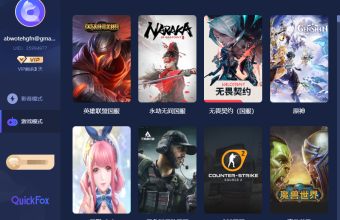
After connecting to QuickFox's game acceleration mode, the game data usage decreased.Independent game linesBypassing the congested and slow public international routers: the IP check during login is successful, the client can log in normally, and the obtained test qualification can be truly used; the latency in the game is steadily reduced, and you will no longer be at a disadvantage in latency-sensitive aspects such as gun lines, point breaches, and sound positioning, and you can keep up with the pace of 5v5 attack and defense; the stability of the dedicated line is also stronger than the direct connection, with fewer disconnections in key rounds, so you won't hold your teammates back.
Rainbow Six Siege's Chinese server test was on PC, and QuickFox's Windows/Mac clients were perfectly compatible; one account could also cover other Chinese games on mobile, making it compatible with both PC and mobile. Intelligent routing ensured that the game used a dedicated domestic line, while Discord voice chat used the local network, ensuring uninterrupted communication during gameplay. When not gaming, you could switch to video mode to watch shows or listen to music—also free, with unlimited data and time—QuickFox covered both Chinese games and everyday entertainment.

Three steps to play
- Visit the QuickFox website https://www.51quickfox.com/download Download the Windows or Mac client (Rainbow Six Siege's Chinese server test version is PC), and register with your mobile phone number or email address.
- Open QuickFox and enter the redemption code QF888 (exclusive for international students) or QF51 (general benefits) to receive VIP game acceleration experience. Select "Game Acceleration Mode" for one-click connection.
- First, connect to QuickFox, then launch the Rainbow Six Siege Chinese server client (don't reverse the order), and log in to your Chinese server account. Once you can log in and the latency is stable, you can fully enjoy the month-and-a-half-long test.

common problem
Q1: How much does using QuickFox to play the Chinese version of Rainbow Six Siege improve latency when playing overseas?
QuickFox's dedicated gaming line is optimized for the Chinese server, significantly reducing the high latency of direct connections from overseas. Tactical FPS games are sensitive to latency; stable latency ensures better firing lines and point breaching. Specific latency values depend on your region, local broadband, and time of day. If you have a slow network in your dorm, try changing your network environment.
Q2: The test qualification is linked to an account. Will using QuickFox overseas affect the qualification?
It won't affect anything. The test qualification is linked to your account. QuickFox solves the network problem of overseas IPs being detected and blocked—by switching the IP back to domestic, you can log in smoothly, and you're still using the account you used to obtain the qualification.
Q3: Is the Rainbow Six Siege test server only available on PC in China?
This test is a closed beta test on the PC platform. You can use the QuickFox Windows or Mac client; connect to QuickFox first, then launch the game client.
Compliance Statement: QuickFox is an overseas-only accelerator for returning to China, providing acceleration services for mainland Chinese applications and content only to overseas users, and cannot provide services to users within mainland China.