

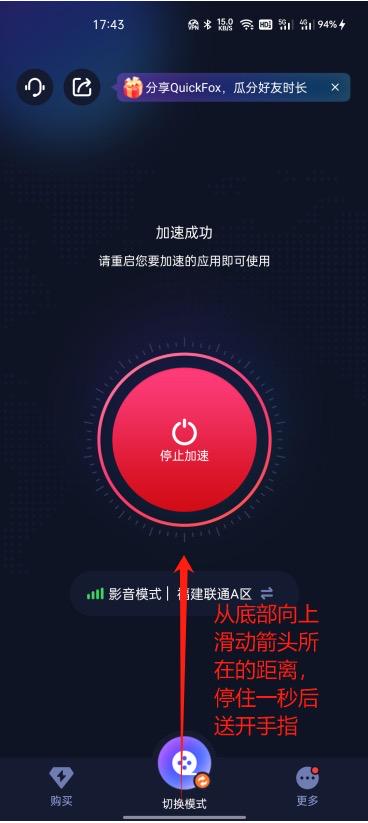
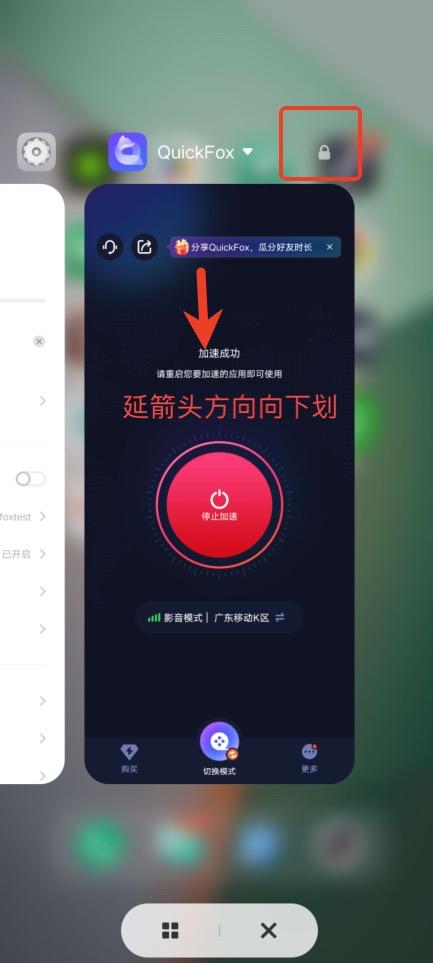
1. [Lock QuickFox] Swipe up from the bottom to pull out the task management interface, and swipe down on QuickFox to lock it;
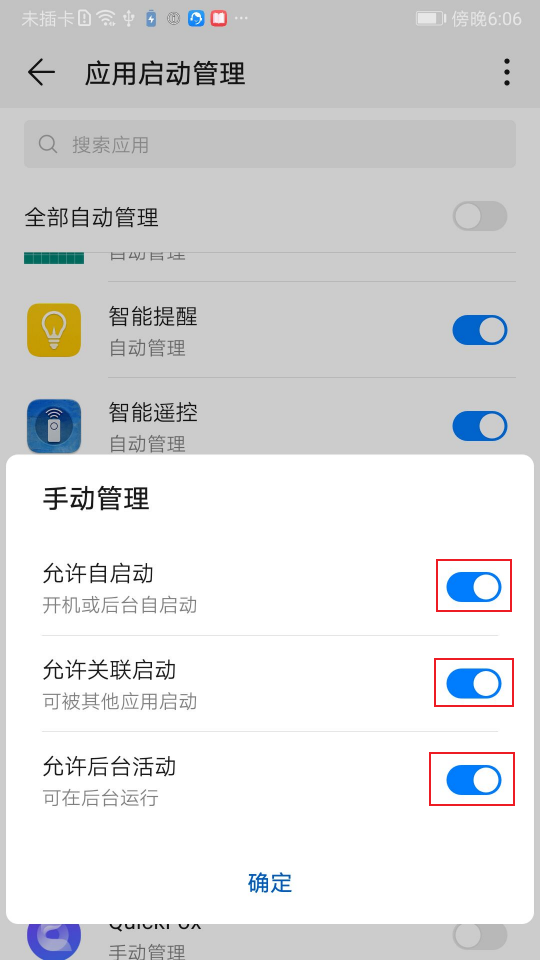
2. [Keep QuickFox running] Go to "System Settings - Applications - Application Startup Management - QuickFox" and allow QuickFox to start;
NoticeIf you still experience a disconnection after completing the above steps, you can try the following steps:
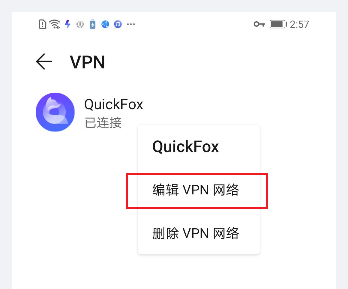
3. [Always Enable VPN] Open "System Settings - More Connections - VPN", long press QuickFox, click "Edit VPN Network", and select "Always Enable VPN";
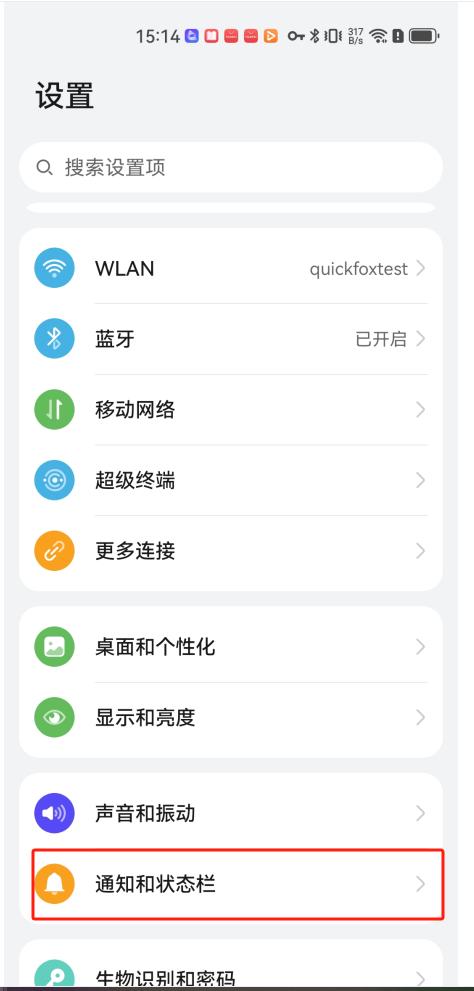
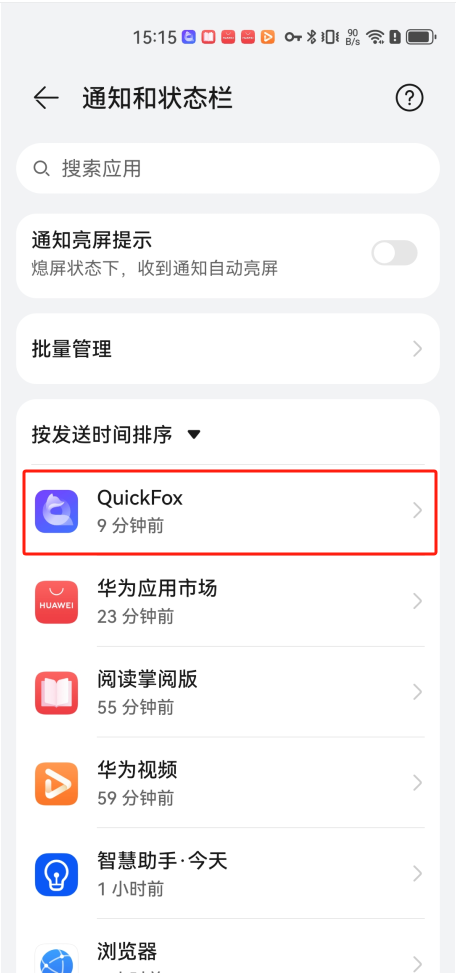
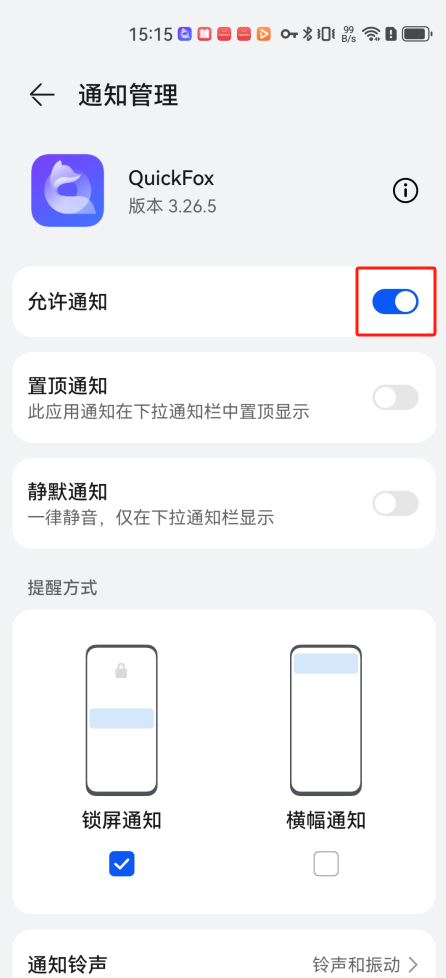
4. [Allow Notifications] Settings - Notification Bar and Status Bar - Scroll down to find QuickFox and tap to enter - Turn on the Allow Notifications switch.
If the above steps still do not solve the problem?Click to contact QuickFox customer service.Please upload screenshots of the problem for quick identification.
Working hours: Monday to Friday, 9:30-12:00 and 13:30-19:00 Beijing time.