
QuickFox ×

华为手机锁定 QuickFox 防掉线教程

Studying abroad means you can enjoy watching dramas, listening to music, and playing games – you can't miss out on any of these!

Download QuickFox for free now

Download, register, and enter the redemption code. QF51 Enjoy membership time instantly

Table of contents

QuickFox Return to China Accelerator

No lag when watching dramas, listening to music, or playing Chinese-style games.

Download now for free

Redemption Code QF51

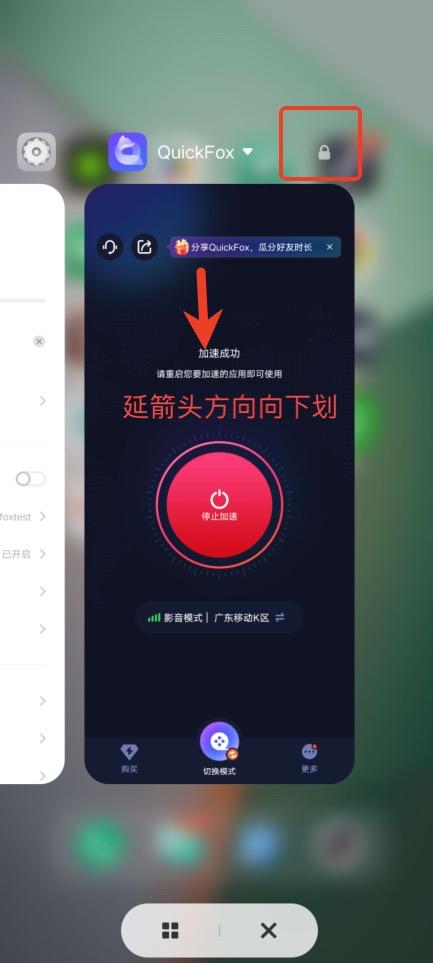
1. [Lock QuickFox] Swipe up from the bottom to pull out the task management interface, swipe down QuickFox or click the lock icon to lock it;
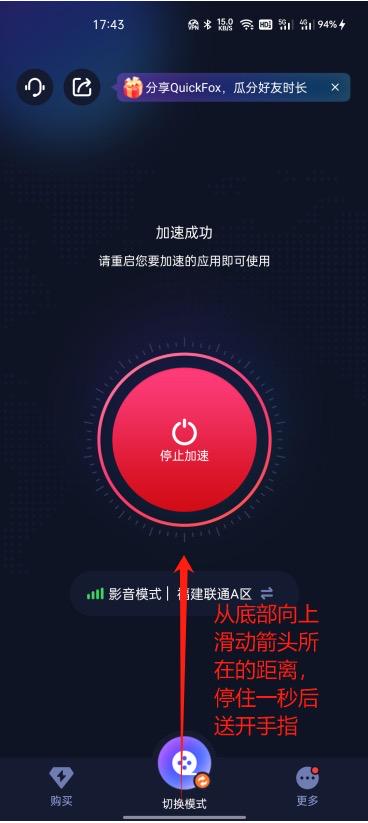
从底部向上划,拉出任务管理界面
下划QuickFox或点击锁定图标进行锁定

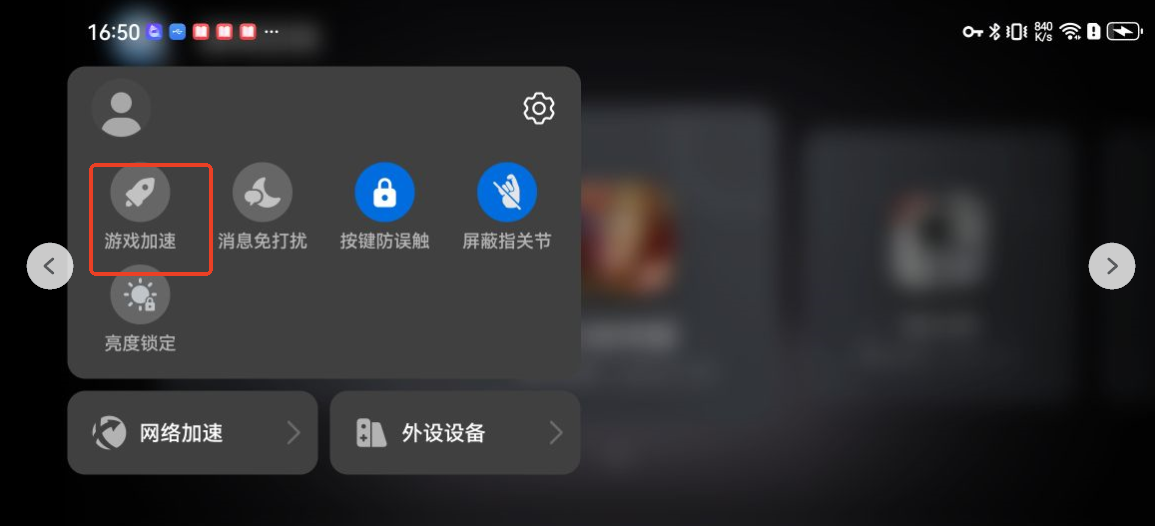
2、【关闭系统加速器】使用手机搜索功能搜索“应用助手”,进入应用助手后点击“游戏空间”,进入游戏空间后点击“游戏加速"使其变暗,即可关闭系统加速器;
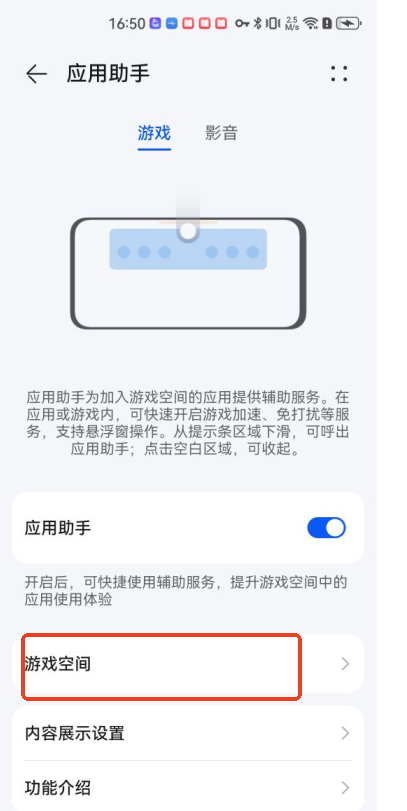
使用手机搜索功能搜索“应用助手”,进入应用助手后点击“游戏空间”
进入游戏空间后点击“游戏加速"使其变暗,即可关闭系统加速器

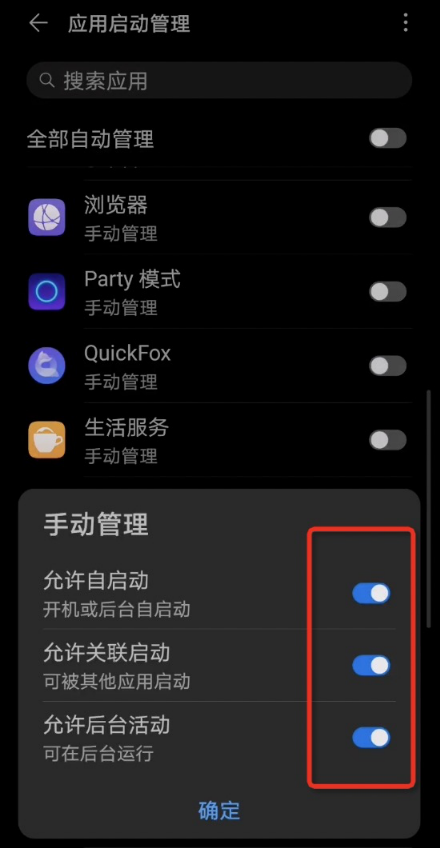
3、【设置允许自启动】依次打开“手机管家-应用启动管理”,在列表中找到QuickFox并打开对应开关;
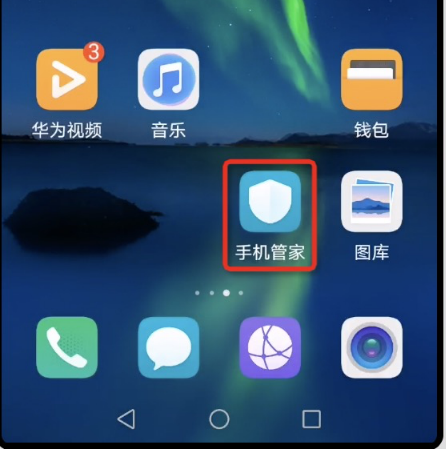
在列表中找到QuickFox并打开对应开关

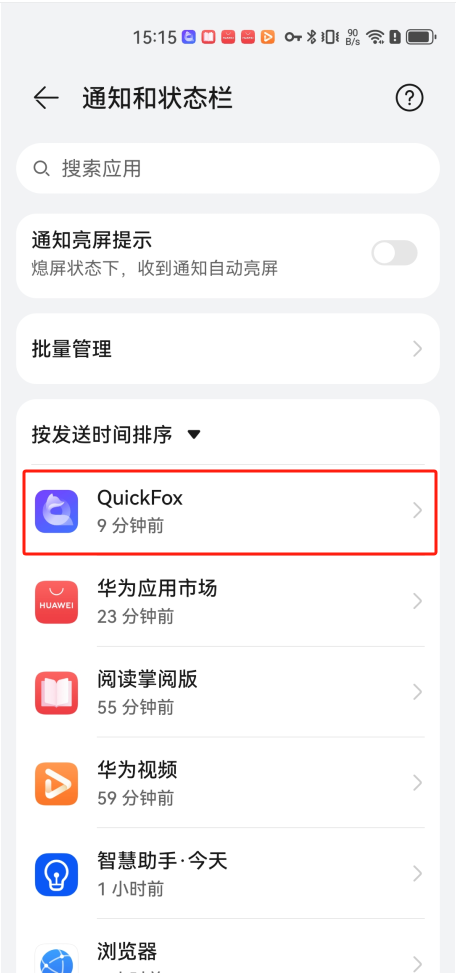
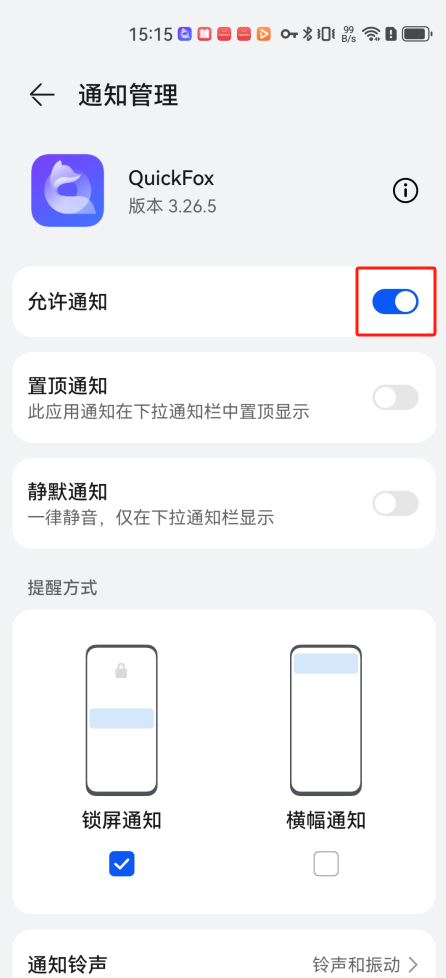
4、【允许消息通知】设置 - 通知栏和状态栏 - 滑动页面找到 QuickFox 点击进入- 打开允许通知开关;
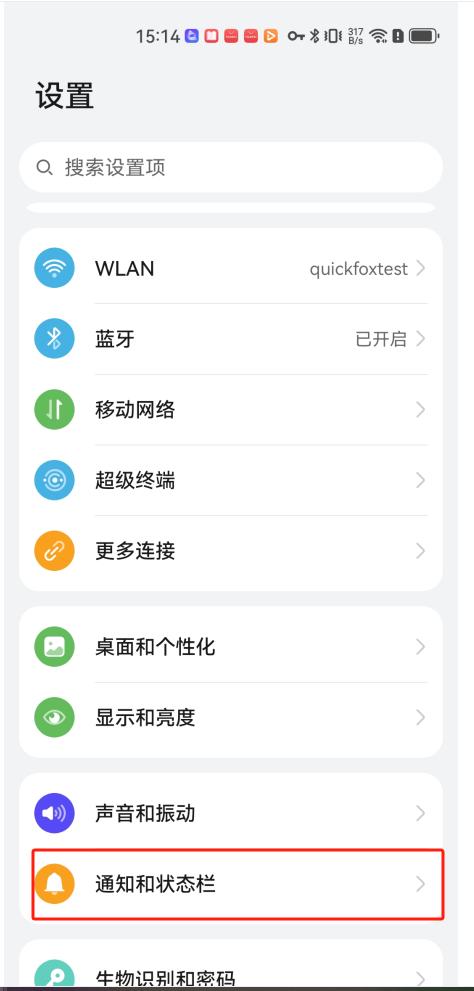
设置 - 通知栏和状态栏

滑动页面找到 QuickFox 点击进入

打开允许通知开关


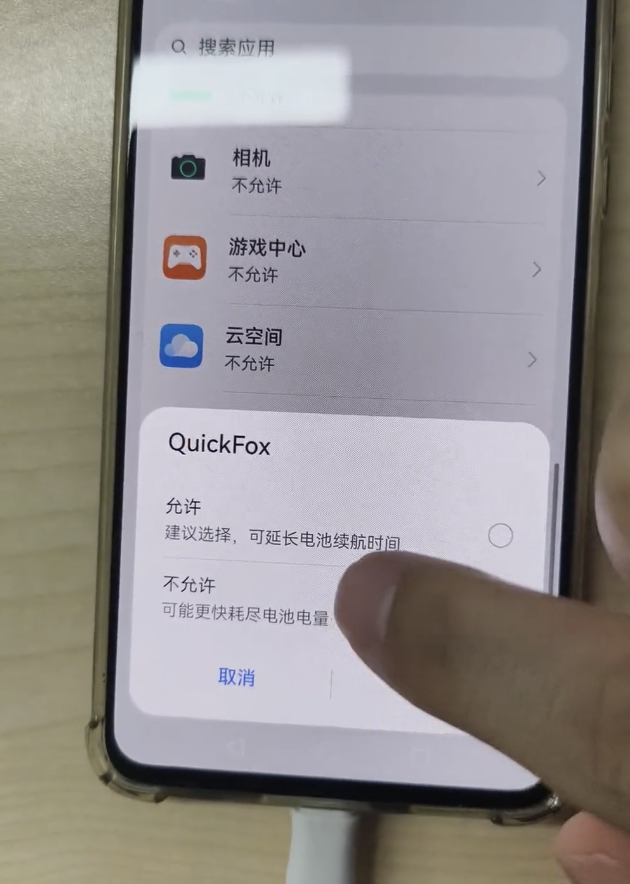
5、【关闭电池优化】设置 - 搜索“电池优化” - 点击进入“电池优化” - 找到 “QuickFox” -修改为 “不允许”。
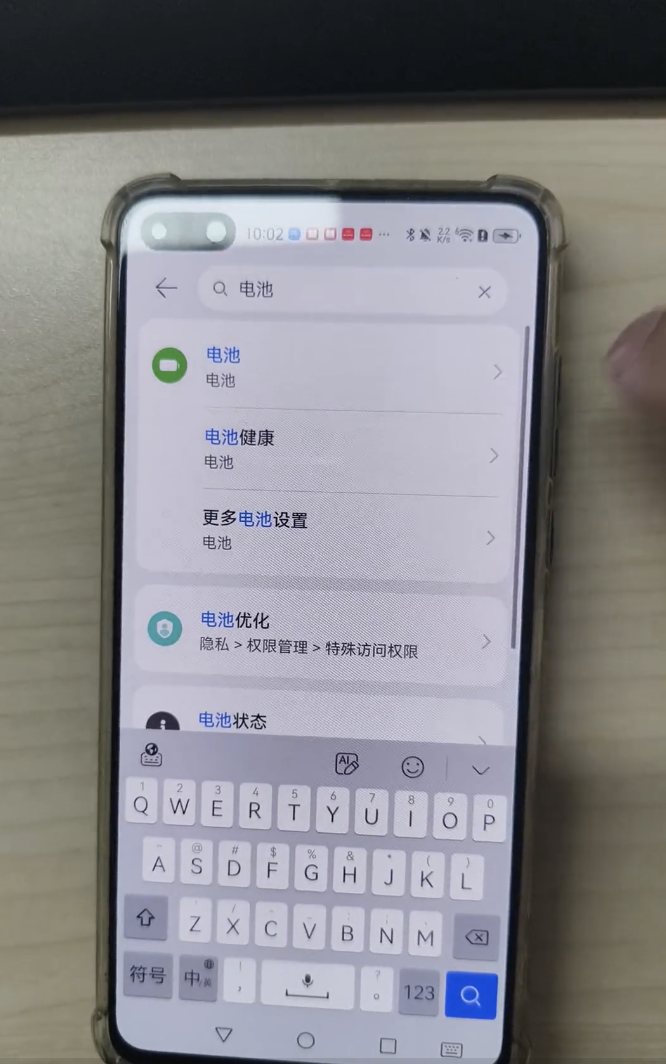
设置-电池优化

点击quickfox,打开不允许开关 确定

If the above steps still do not solve the problem?Click to contact QuickFox customer service.Please upload screenshots of the problem for quick identification.
Working hours: Monday to Friday, 9:30-12:00 and 13:30-19:00 Beijing time.

Studying abroad means you can enjoy watching dramas, listening to music, and playing games – you can't miss out on any of these!

QuickFox instantly restores smooth streaming of Chinese content, including dramas, music, live streams, and Chinese-server games.

Download QuickFox for free now

Enter the redemption code after registration QF51 Claim free membership time

if ( ! is_singular( 'post' ) && ! is_category() ) return; ?>
Black Friday QuickFox Black Friday: More for the Same PriceEnjoy a 3+1 quarterly pass, or buy one get one free for VIP members. Learn about QuickFox Black Friday eventsLearn about the event '