

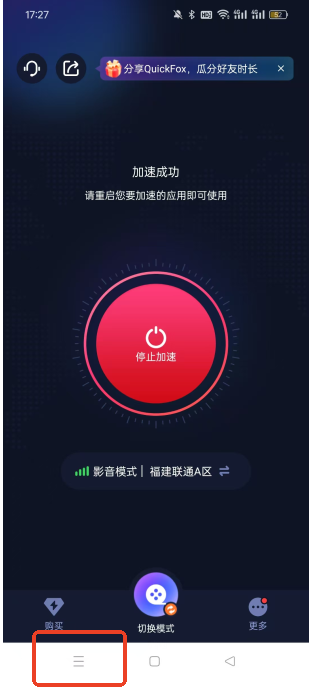
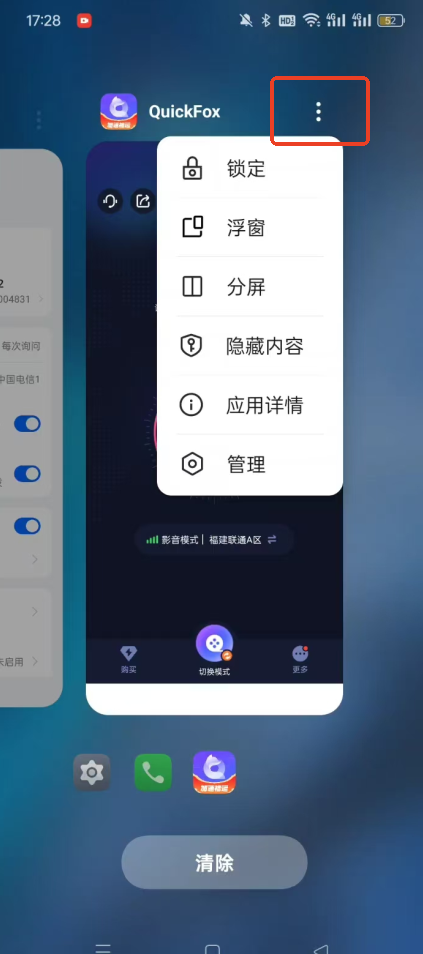
1、【锁定QuickFox】底部导航点击更多图标,点击应用右上方三点,点击锁定;
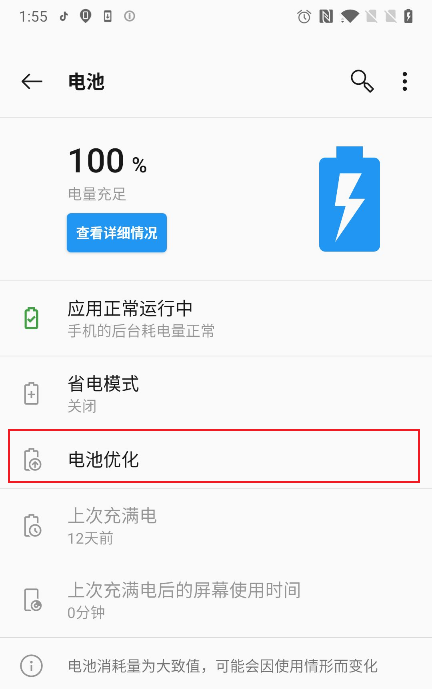
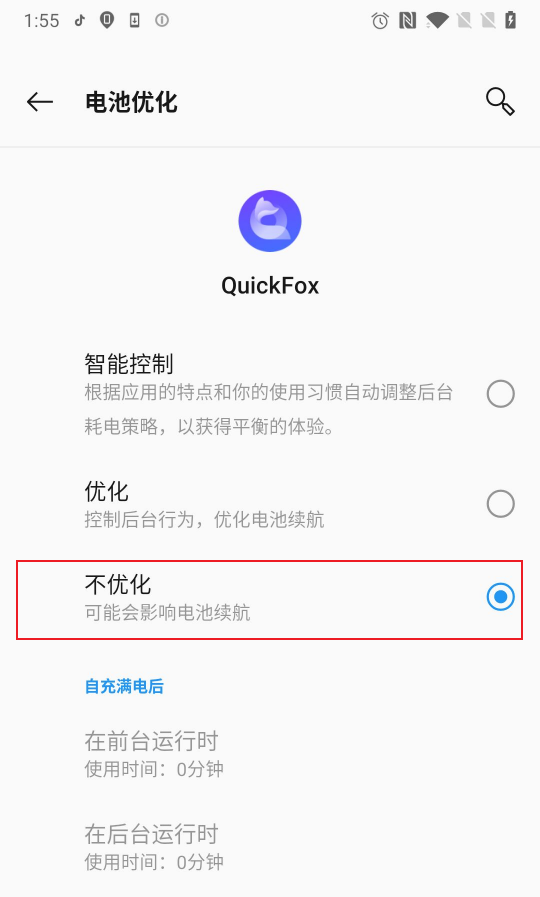
2、【关闭省电优化】依次打开“系统设置-电池-电池优化”,点击QuickFox,选择不优化;
NoticeIf you still experience a disconnection after completing the above steps, you can try the following steps:
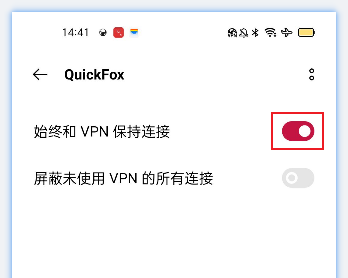
3、【开启VPN保持连接】依次打开“系统设置-连接与共享-VPN”,点击QuickFox,开启"始终和VPN保持连接";
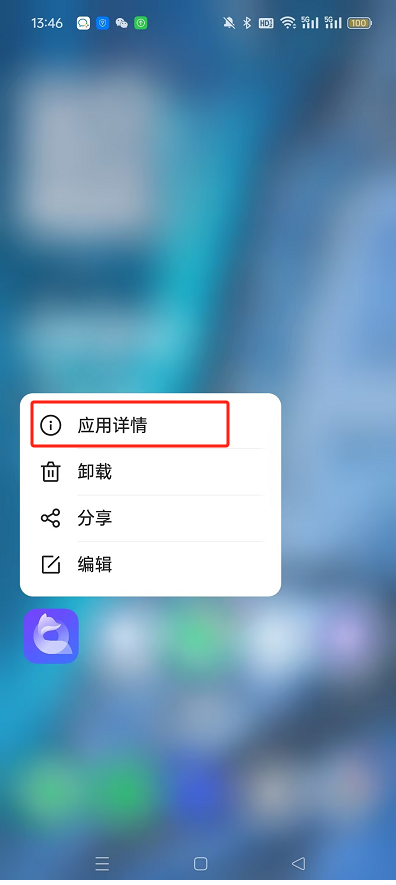
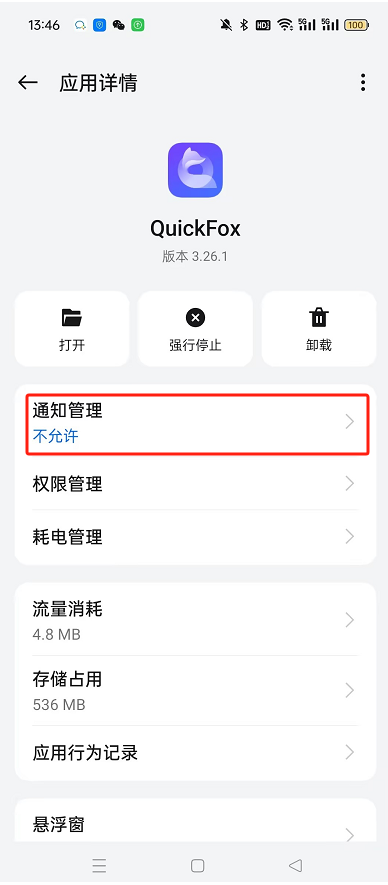
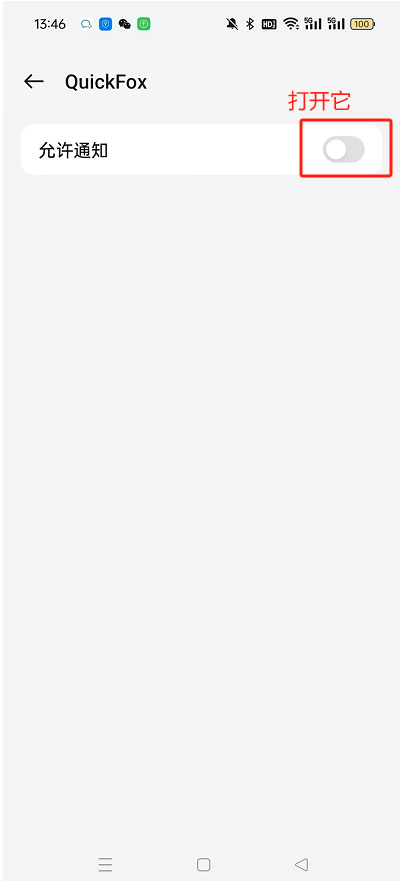
4、【允许信息通知】长按APP图标-选择应用详情-点击通知管理-打开允许通知。
If the above steps still do not solve the problem?Click to contact QuickFox customer service.Please upload screenshots of the problem for quick identification.
Working hours: Monday to Friday, 9:30-12:00 and 13:30-19:00 Beijing time.