

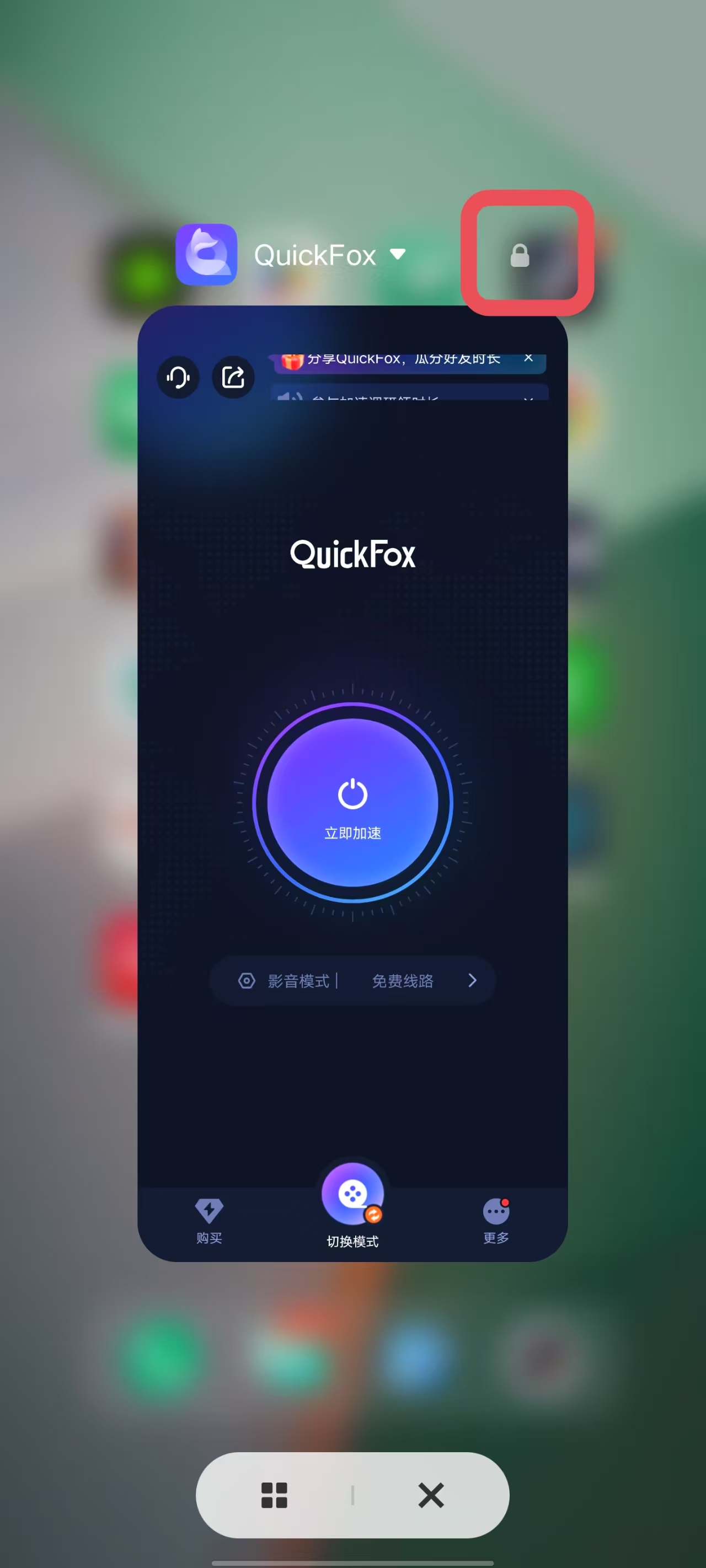
1、【锁定QuickFox】打开进程管理界面,将QuickFox添加锁定;
2. [Clean up apps] Clean up unnecessary apps in the background to ensure that the phone has sufficient memory and prevent QuickFox from being automatically closed by the system;
3、【保持电量充足】手机电量不足时,系统为了省电可能自动清理后台应用,导致QuickFox加速进程掉线;
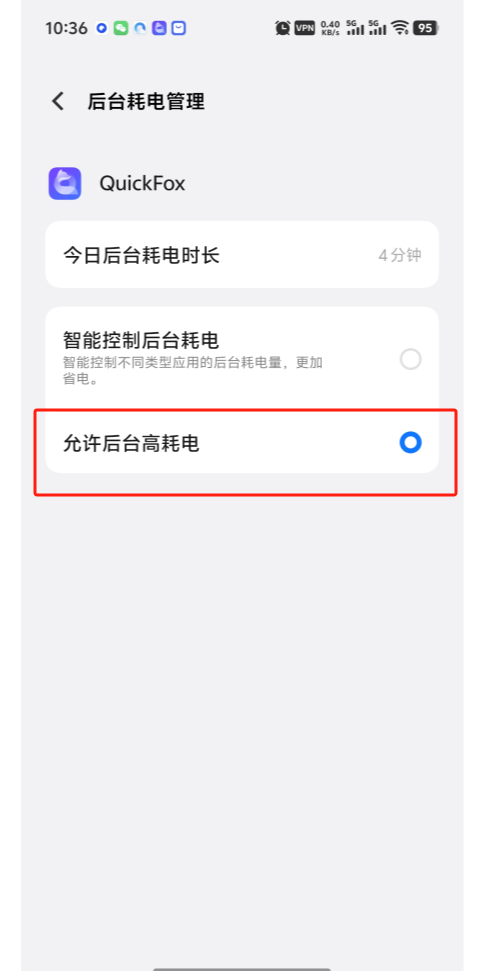
4、【务必设置】关闭后台耗电限制;
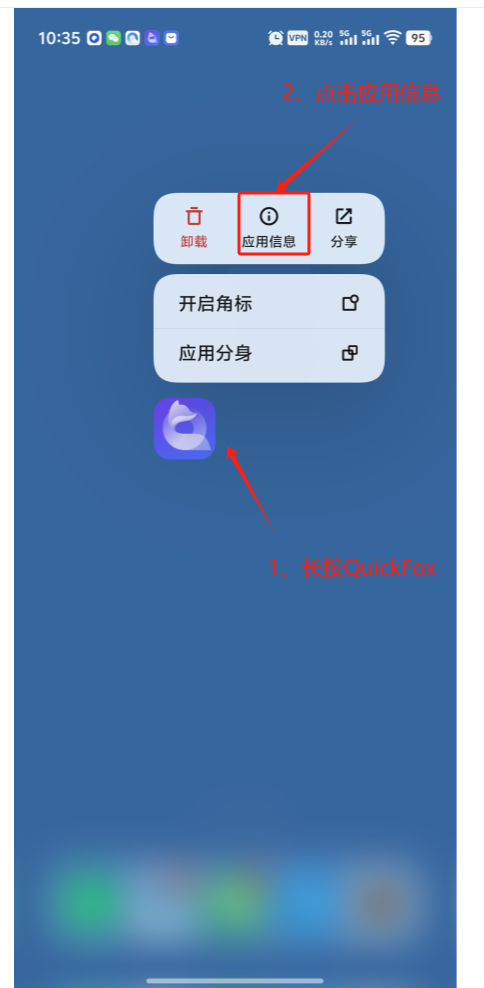
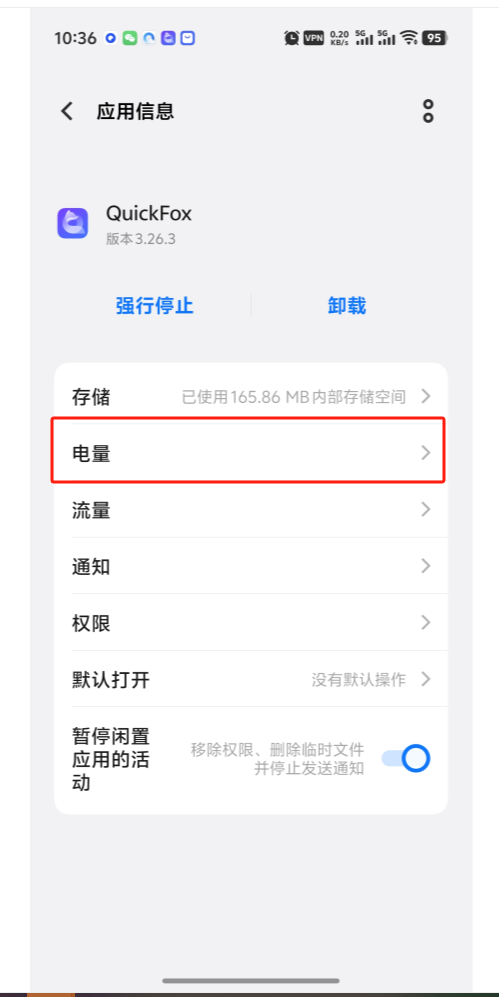
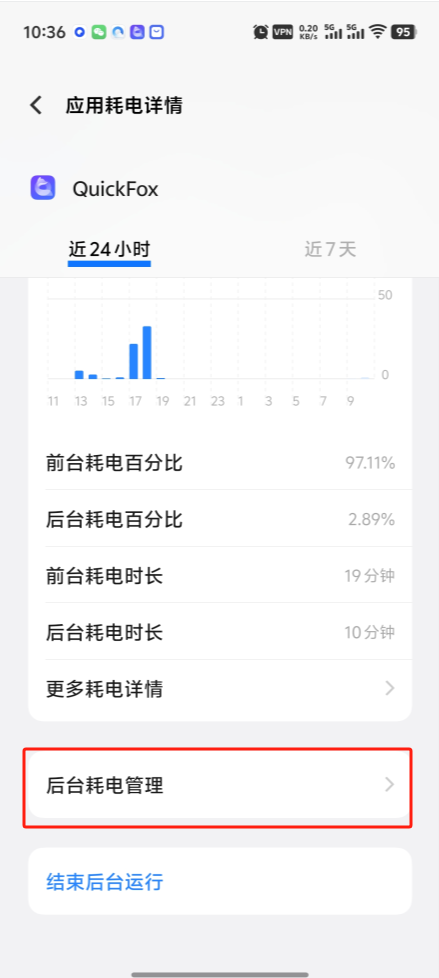
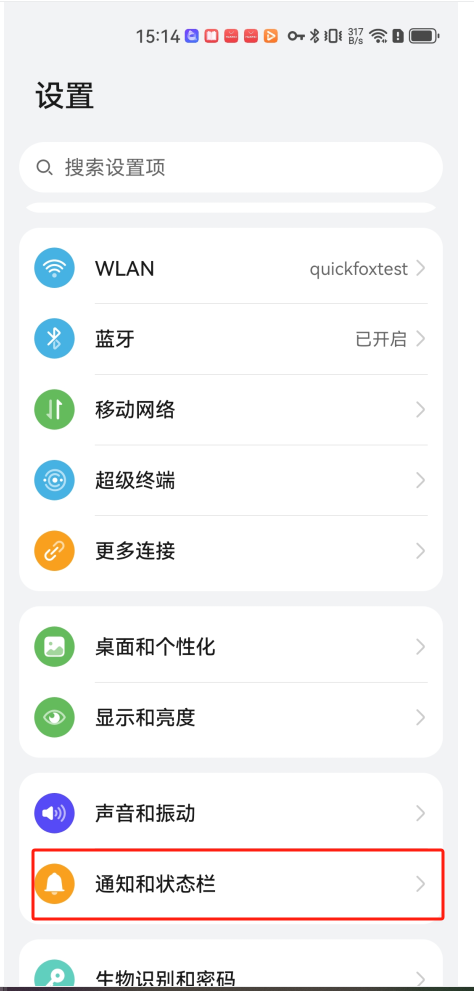
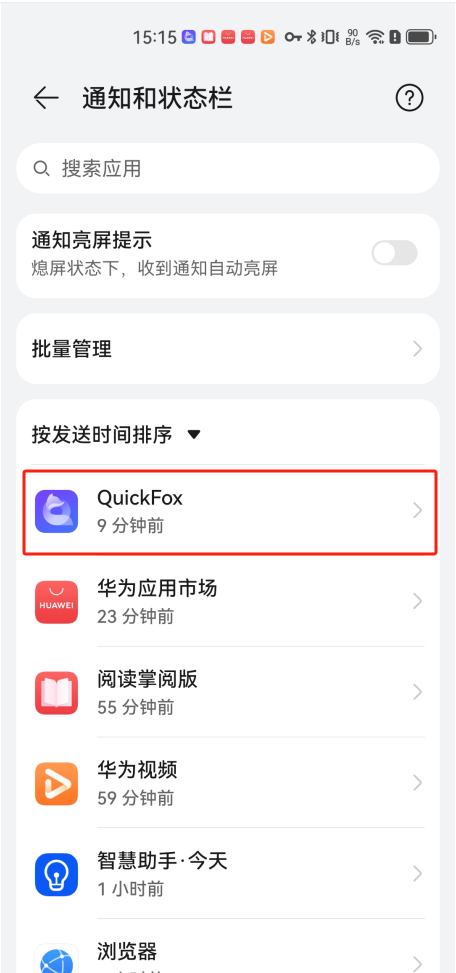
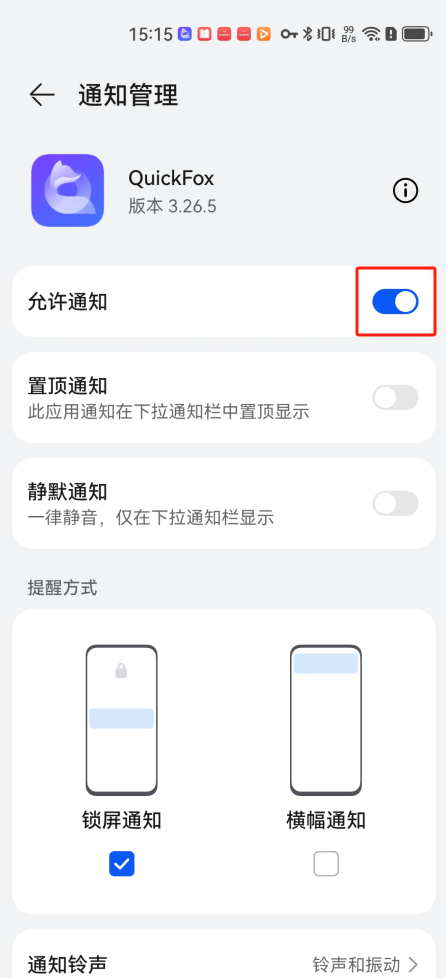
5、【允许消息通知】设置 - 通知栏和状态栏 - 滑动页面找到 QuickFox 点击进入- 打开允许通知开关。
If the above steps still do not solve the problem?Click to contact QuickFox customer service.Please upload screenshots of the problem for quick identification.
Working hours: Monday to Friday, 9:30-12:00 and 13:30-19:00 Beijing time.