 ×
×
Pre-ordered Shadow Blade Zero on WeGame before going abroad, only to find that the 145GB game file was downloading intermittently once you arrived overseas? QuickFox uses a dedicated line to connect your computer back to the domestic network, making downloads, logins, and updates on WeGame and TapTap PC smoother.
Windows (Shadow Blade Zero PC version only supports Windows)
New users enter redemption code Get a free 12-hour membership

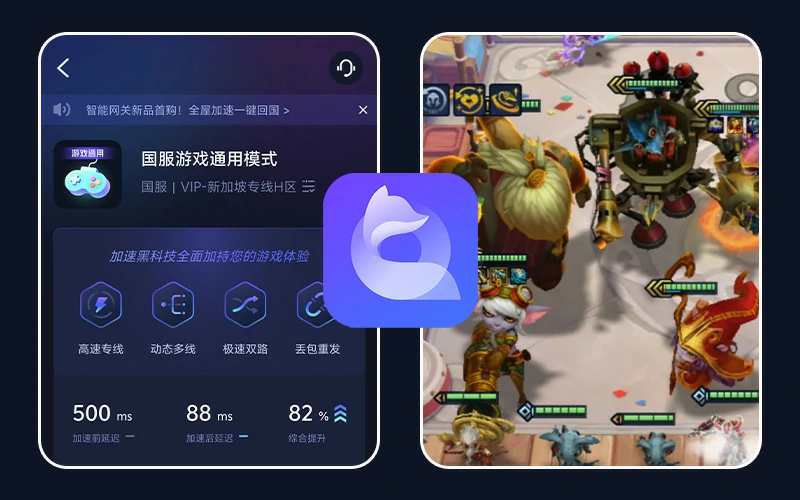
Overseas Chinese and international students who bought "Shadow Blade Zero" on WeGame and TapTap PC should enable QuickFox when downloading and updating to save time and enter the game sooner!
| PC platform | The situation of overseas players | Do I need QuickFox? |
|---|---|---|
| WeGame | For domestic platforms, you can log in using QQ or WeChat; downloading and updating from overseas platforms tends to be slower. | We recommend using [this feature] to improve download and login performance. |
| TapTap PC | The situation is similar on domestic platforms to WeGame. | We recommend using [this feature] to improve download and login performance. |
| Steam | Download via local server, you can play directly. | unnecessary |
| Epic | Download via local server, you can play directly. | unnecessary |
If you want to watch live streams and guides of "Shadow Blade Zero" by domestic streamers overseas, you can use QuickFox, no matter which platform you play on.
From downloading, logging in, and updating to reading guides, QuickFox's dedicated line helps you connect back to China, addressing any slowdowns when using domestic platforms overseas!
The game *Shadow Blade Zero* is approximately 145GB. Downloading it from overseas via WeGame and TapTap PC often results in packet loss due to cross-border connections, causing downloads to slow down halfway through. Enabling QuickFox uses a dedicated line back to China, offering unlimited speed and bandwidth, making downloads of large files much more stable.
When logging into WeGame using QQ or WeChat, overseas networks often experience loading loops or repeated verification attempts from different locations after scanning the QR code. Enabling QuickFox for login via a domestic network results in a much faster platform response!
During the initial release period, updates were frequent, and each patch had to be downloaded from domestic servers. When downloading large updates, QuickFox could be opened, allowing the game to continue playing immediately after the update. For regular single-player gameplay, it wasn't necessary to keep it open constantly.
If you're stuck on a level and want to watch boss fights and weapon combinations, the Chinese live streams on platforms like Douyu and Bilibili often experience buffering or restrictions overseas. You can watch them by enabling the "Return to China Video" mode in QuickFox, which is free to use.
No need to manually select nodes; even first-time users of QuickFox can start accelerating within minutes.
QuickFox One-Click Acceleration for Shadow Blade ZeroNew users enter redemption code Get a free 12-hour membership
Clients are available for Windows, Mac, iOS, and Android; simply download the one for your device.
Register with your mobile phone number or email address, enter the redemption code QF51 in the App, and receive a free 12-hour membership.
Search for "Shadow Blade Zero", click to accelerate, open the game, and keep QuickFox running in the background.
New users enter redemption code Get a free 12-hour membership
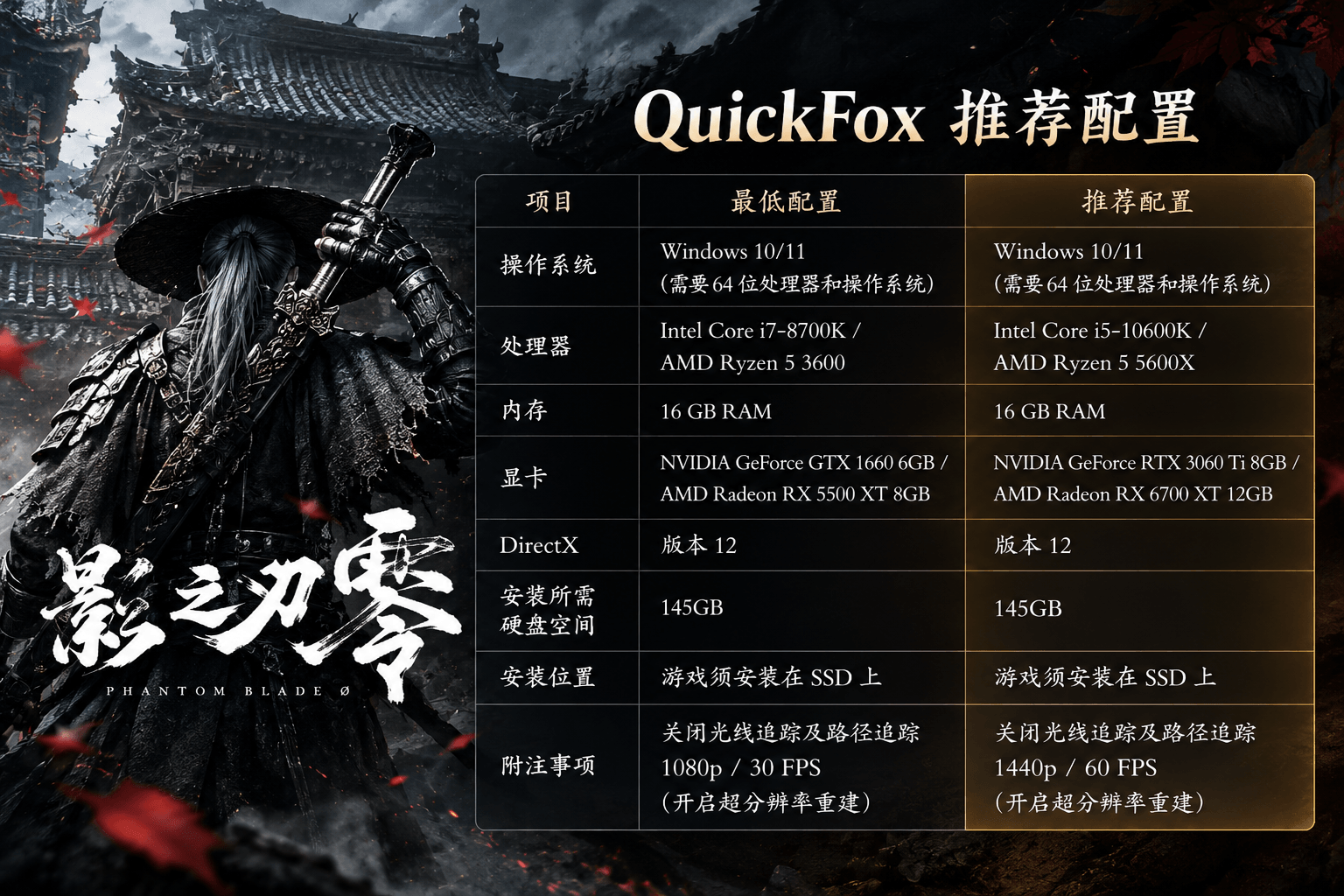
The base game of Shadow Blade Zero is about 145GB, and the official requirement is that it must be installed on a solid-state drive (SSD).Temporary files will coexist with the game files during download and extraction. It is recommended to reserve at least 300GB of available space. After installation, the space will drop back to around 145GB. It is recommended to update your graphics card driver to the latest version first. The minimum configuration is a GTX 1660 graphics card and 16GB of RAM, which can run at 1080p/30fps; the recommended configuration is an RTX 3060 Ti, which can run at 1440p/60fps. Confirm your disk space and system configuration before starting QuickFox to avoid being forced to interrupt the download due to insufficient hard drive space and having to restart it.

I had already played the game on my computer in China before going abroad. When I got a new computer overseas, my biggest fear was that my save data wouldn't be transferred.WeGame's cloud saves require syncing with domestic servers, and syncing may fail or keep loading when connecting directly from overseas. Before opening the game on a new computer for the first time, open QuickFox to allow the cloud saves to sync successfully before starting the game.
It depends on the platform. When downloading, logging in, and updating on domestic platforms like WeGame and TapTap PC, it's recommended to enable QuickFox to connect to a domestic network. Steam and Epic versions use local servers and don't require acceleration. *Shadow Blade Zero* is a single-player game; after installation, it doesn't connect to domestic servers, so there won't be the latency issues common in online games.
No need. You can turn off QuickFox when playing offline, and only turn it on when downloading the game, updating patches, or when the platform gets stuck. If you want to watch live streams from domestic broadcasters while playing, you can use the "Return to Domestic Video" mode.
Yes, your account and purchased games will not expire even if you are overseas. The main issue is slow download and login speeds. Please enable QuickFox during downloads, logins, and updates. Once installed, launch the game normally.
First, pause the download, completely exit WeGame, and then reopen QuickFox after confirming it's running, forcing the download to use the domestic download route again. Simultaneously, close any other accelerators or proxy tools on your computer; if possible, switch to a wired connection. The platform's own download speed limits and local bandwidth caps cannot be overcome by accelerators.
Not recommended. Steam's store region is based on your actual location and payment method. Using a VPN or other tools to switch regions for purchases violates the Steam User Agreement and may result in account restrictions. If you are overseas, it is recommended to purchase directly from your local Steam store.
Popular Chinese mobile and PC games can be accelerated. Click on the game to view the corresponding overseas acceleration tutorial.
 King's GloryOverseas Acceleration ›
 Peace EliteOverseas Acceleration ›
 Hero LeagueOverseas Acceleration ›
 Original GodOverseas Acceleration ›
 Eternal calamityOverseas Acceleration ›
 Battle of the Golden Shovel and ShovelOverseas Acceleration ›
 Dark Zone BreakoutOverseas Acceleration ›
 Egg Waffle PartyOverseas Acceleration ›
 Tomorrow's ArkOverseas Acceleration ›
 Fifth PersonalityOverseas Acceleration ›
 World of WarcraftOverseas Acceleration ›
 Sword Art Online 3Overseas Acceleration ›
 Reverse Water ColdOverseas Acceleration ›
 CrossfireOverseas Acceleration ›
 Light encounterOverseas Acceleration ›
 Dungeons & DragonsOverseas Acceleration ›
Swipe left and right to view all 16 models ›
Couldn't find the game you play?Download the QuickFox App, search for the game name in Game Mode to speed up the process.
Version updates, event benefits, and speed-up tutorials will be continuously updated.

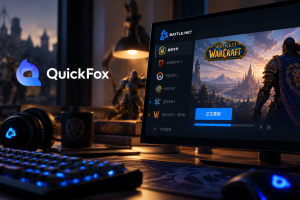

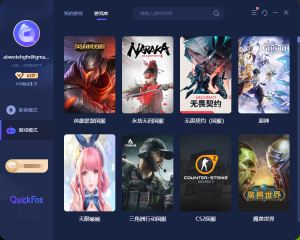
It works on Windows, Mac, iOS, and Android. Playing on the Chinese server from overseas offers lower latency and a more stable gaming experience.
New users enter redemption code
Get 12-Hour Free Membership