 ×
×
Experiencing high latency and frequent disconnections when playing PES (Pro Evolution Soccer) on the Chinese server from overseas? QuickFox Chinese Server Game Accelerator matches PES with a dedicated route back to China, providing one-click acceleration for a smoother gaming experience with friends back home.
New users enter redemption code Get a free 12-hour membership

The Chinese server for Pro Evolution Soccer is located in mainland China, and direct connections from overseas are long and prone to congestion; enabling QuickFox will use a dedicated connection back to China.
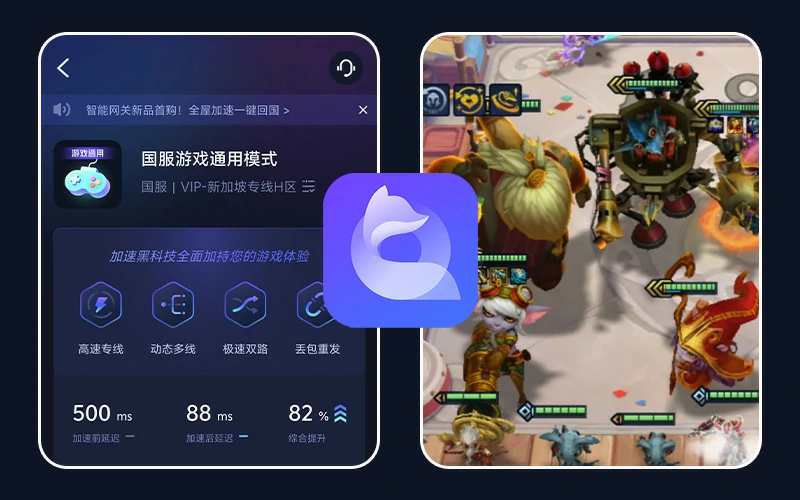
No need to manually select nodes; even first-time users of QuickFox can start accelerating Pro Evolution Soccer within minutes.
Download QuickFoxNew users enter redemption code Get a free 12-hour membership
Clients are available for Windows, Mac, iOS, and Android. Just download the one that suits your device for playing Pro Evolution Soccer.
Register with your mobile phone number or email address, enter the redemption code QF51 in the App, and receive a free 12-hour membership.
Click "One-Click Acceleration" and then open Pro Evolution Soccer, keeping QuickFox running in the background.
New users enter redemption code Get a free 12-hour membership
Understand the gameplay and platforms of Pro Evolution Soccer, and then see how overseas players can smoothly play the Chinese version.
Pro Evolution Soccer (PES) is a beloved football simulation game series developed by KONAMI. Renowned for its realistic graphics, detailed player models, and immersive physics engine, the game provides players with a near-realistic football match experience. Players can choose from various international and club teams, showcasing their skills on a virtual pitch through strategic deployment and player control. The PES series is constantly updated, incorporating the latest technologies and data, keeping it at the forefront of the football gaming world.
Several frequently asked questions by overseas players when playing Pro Evolution Soccer (PES) on a faster pace.
The Chinese servers for Pro Evolution Soccer (PES) are located in mainland China. Direct connections from overseas involve long international routes, and traffic congestion and detours during peak hours can increase latency, leading to packet loss and disconnections. As a football simulation game, PES is quite sensitive to latency and packet loss. Enabling the QuickFox Chinese server game accelerator ensures that game data travels back to China via a dedicated route, significantly improving latency and reducing disconnections.
Download and install QuickFox, register and log in, switch to "Game Mode," search for "Pro Evolution Soccer," click "One-Click Acceleration," and then open the game. QuickFox will automatically select a suitable return route to China; no manual node switching is required. Keep the app running in the background during acceleration.
Pro Evolution Soccer (PES) currently supports iOS, Android, Windows, and HarmonyOS. QuickFox provides clients for Windows, Mac, iOS, and Android, allowing one account to log in on multiple devices. Both mobile phones and computers can accelerate PES.
Yes. New users can download QuickFox, register, and enter the redemption code QF51 in the app to receive a free 12-hour membership. Experience the accelerated Pro Evolution Soccer experience first before deciding whether to subscribe.
The same QuickFox account can accelerate both mobile and PC games. Click to see the overseas acceleration method for the corresponding game.
New events, version updates, and speed-up tutorials for overseas players playing the Chinese server.

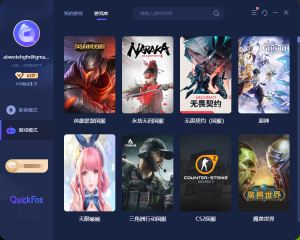




It works on Windows, Mac, iOS, and Android, and offers lower latency and more stable gameplay for overseas players of Pro Evolution Soccer.More Chinese server game acceleration ›
New users enter redemption code Get a free 12-hour membership