InOverseasWhen you stay in China for a long time, the most unavoidable thing to maintain contact with your home country is...TencentMeeting—When domestic partners, clients, or former colleagues schedule meetings, they almost always send Tencent Meeting links.
However, using Tencent Meeting overseas is a completely different experience from using it domestically. The first few seconds in the meeting room are fine, but problems start to appear after a short while: after you finish speaking, the other person takes two or three seconds to respond. It's not that they didn't hear you, but the latency is too high, and both the audio and video are a beat behind. The most awkward situation is when two people start speaking at the same time, and then stop and wait for each other, this cycle can repeat three or four times, completely disrupting the reporting rhythm.

Screen sharing is even more difficult to use. You're presenting a PowerPoint presentation, but the screen opposite you freezes into a slideshow, and even when you're on page five, it's still stuck on page two. You have to ask, "What page are you on now?" halfway through your presentation. I've also tried WeChat Work video and DingTalk voice, and any domestic audio/video platform produces the same result when accessed from overseas.

Tencent Meeting's servers are located in China, while you are overseas. The connection between the two points uses the public internet, which is prone to network congestion and multiple relay nodes, easily resulting in latency exceeding 200ms. Audio and video calls are extremely sensitive to latency; desynchronization begins to occur above 150ms, and normal conversation becomes virtually impossible above 300ms. This is not a bug in Tencent Meeting, but a problem with the network path.
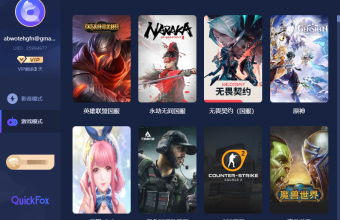
Using a VPN to access dedicated lines in China is currently the most direct solution, and I'm currently using QuickFox. Once connected, Tencent Meeting's latency is reduced to a normal range, eliminating the time lag in conversations and enabling near-real-time screen sharing. Presenting PPTs no longer requires asking the other party which page they are on. With over 1000 nodes deployed globally, it ensures optimal return routes regardless of your country, and dedicated encrypted channels protect meeting content security, making it a reliable choice for business meetings.

New users receive exclusive benefits upon registration.Redemption code QF51 Free to claim12-hour membership trialYou can claim free trial benefits periodically; renew your subscription only if you're satisfied. Search "QuickFox" to download now. Next time you participate in a Tencent Meeting in China, you won't need to rely on "Can you hear me?" to confirm your connection status.