




If you are in the United States, recently you have opened a domestic website.JitterbugThese situations may have occurred:
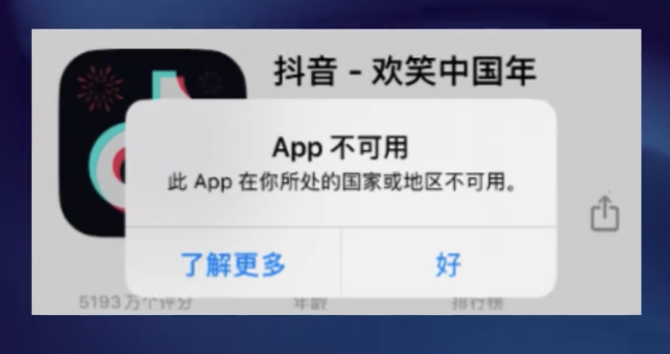
- TikTok is listed as "unavailable" in the App Store.
- The installed TikTok app prompts that it needs to be installed.renewHowever, the update failed.
- TikTok can be opened but no content can be displayed.
- I can't download again after getting a new phone.
The root causes of these problems are clear to everyone, so I won't go into the policy details. Today, I'll only discuss one thing:How to solve it?.
First, figure out why this is happening.
| Problem Type | reason |
|---|---|
| Unable to download | App Store listings are restricted based on account region. |
| Unable to update | Similarly, already installed apps are also affected. |
| It can be opened but has no content. | Network-level access restrictions |
| Login failed | Server connection issues |
Ultimately, this isRegional RestrictionsThe problem isn't that your phone is broken.
TikTok Update Solution in the United States
The logic behind solving this problem is actually quite simple: bring your network environment "home." QuickFox, the China Accelerator, uses its unique application acceleration mode to intelligently identify and proxy Douyin's data traffic, helping you bypass complex regional restrictions. After enabling QuickFox, you can not only smoothly connect to domestic servers for app updates, but also instantly access high-definition video streams and live broadcasts. Whether browsing local content, watching live streams, or uploading content, the speed is identical to being in China, completely eliminating the annoyance of "network error" pop-ups and allowing you to seamlessly connect with the short video trend in China while in the US.
Practical steps
| step | operate | illustrate |
|---|---|---|
| 1 | Download QuickFox | Search and download from the official website or the App Store. |
| 2 | Register and log in | Supports registration via mobile phone number or email address. |
| 3 | Select node connection | Select smart mode or specify a node. |
| 4 | Open the App Store | Search for "Douyin" and download/update normally. |
| 5 | Open Douyin | Keep your QuickFox connection active and continue watching videos as usual. |
The TikTok situation, frankly speaking, is a side effect of geopolitics, leaving ordinary users caught in the middle and feeling quite helpless. But there are always technical solutions to technical problems. As long as the app is still running and the servers are still operational, there will always be a way to use it. QuickFox is currently the most hassle-free solution I've found, and I'm sharing it with friends facing the same issue.