For those who areOverseasFor international students and Chinese people, playing "Identity V" is...National ServerThe biggest torment is undoubtedly the unpredictable network latency. Just when you're about to perfectly vault through a window and kite the hunter, the top right corner suddenly spikes to 460ms, the screen freezes instantly, and after reconnecting, you find yourself hooked on a rocket chair; or when you're playing as the hunter and accurately predicting their attack, the network is plagued by packet loss, causing your character to "moonwalk" in place, watching helplessly as a low-health survivor escapes via the hatch.Playing Identity V overseasStuck and stoppedThe resulting sense of powerlessness turned the technical bureau into a blind box game that relied entirely on luck.

The lag issues experienced by overseas players directly connecting to the Chinese server of "Identity V" are primarily due to the limitations of cross-border physical distance and complex network routing. Sending commands from overseas to the domestic server requires traversing extremely long undersea fiber optic cables, and the congestion and numerous relay nodes on ordinary cross-border public networks make data packet loss highly likely. Furthermore, the Chinese server lacks dedicated optimizations for overseas IP addresses, leading to frequent high latency and teleportation issues for overseas players.
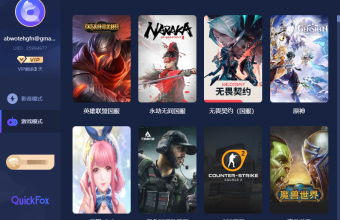
QuickFox Return to China Accelerator is optimized for overseas users to connect to Chinese servers, covering mainstream games such as Identity V. Through dedicated acceleration nodes, it can reduce latency from 200ms+ to 60-80ms. It supports one-click connection for iOS, Android, Windows, and Mac, and allows one account to connect to three devices simultaneously.
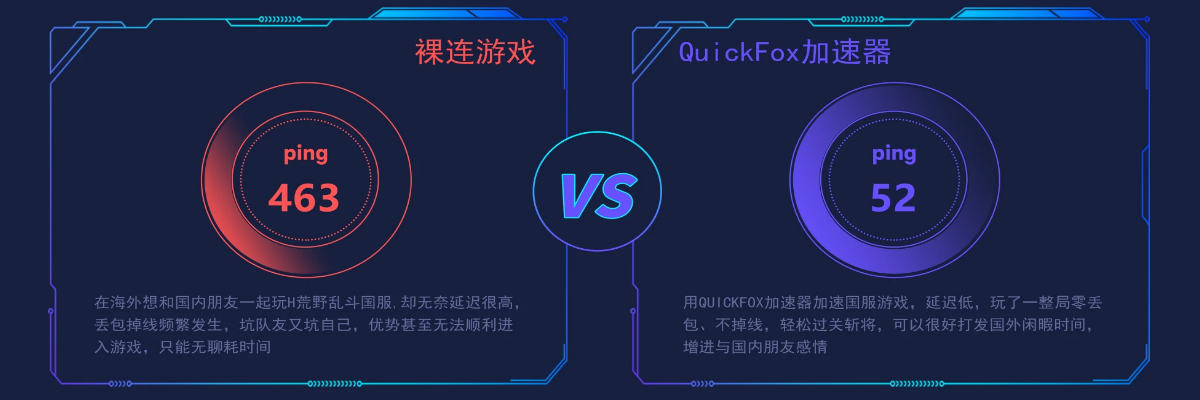
Download the QuickFox client → Register and log in → Select a game acceleration node → Connect with one click → Launch Identity V. After connecting, the latency is stable in the 60-90ms range, making chasing and escaping operations no longer reliant on luck. It supports all platforms, and one account can cover up to 3 devices.
Lag issues when playing Identity V (Chinese server) overseas are caused by international network connections. The only effective solution is to use a professional VPN to connect back to China. QuickFox offers one-click connection, stable latency, and no disconnections. It is for overseas users only; download and try it if needed.