 ×
×
Experiencing high latency, disconnections, and packet loss when playing Chinese games from overseas? QuickFox Game Accelerator provides dedicated acceleration lines for games, allowing you to activate with one click, reducing latency and disconnections, and making it smoother to play with friends back home.
New users enter redemption code Get a free 12-hour membership

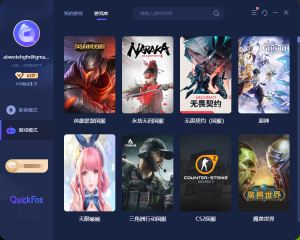
Popular Chinese mobile and PC games can be accelerated. Click on the game to view the corresponding overseas acceleration tutorial.
 King's GloryOverseas Acceleration ›
 Peace EliteOverseas Acceleration ›
 Hero LeagueOverseas Acceleration ›
 Original GodOverseas Acceleration ›
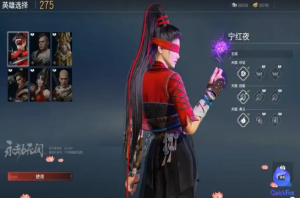 Eternal calamityOverseas Acceleration ›
 Battle of the Golden Shovel and ShovelOverseas Acceleration ›
 Dark Zone BreakoutOverseas Acceleration ›
 Egg Waffle PartyOverseas Acceleration ›
 Tomorrow's ArkOverseas Acceleration ›
 Fifth PersonalityOverseas Acceleration ›
 World of WarcraftOverseas Acceleration ›
 Sword Art Online 3Overseas Acceleration ›
 Reverse Water ColdOverseas Acceleration ›
 CrossfireOverseas Acceleration ›
 Light encounterOverseas Acceleration ›
 Dungeons & DragonsOverseas Acceleration ›
Swipe left and right to view all 16 models ›
In addition to the games mentioned above, QuickFox's Chinese server game accelerator also supports acceleration for other Chinese mobile and PC games: switch to game mode in the QuickFox App and search for the game name to accelerate it individually. Whether you are in the US, Canada, the UK, Australia, Singapore, or Japan, you can use QuickFox to accelerate Chinese servers.
QuickFox, a game accelerator for returning to China, has optimized various aspects of the game for overseas players, including latency, disconnections, region verification, and voice chat issues.
The Chinese versions of the mobile and PC versions have optimized their routing to avoid congested international exits, allowing game data to travel a shorter route back to China. Team battles, ranked matches, and multiplayer games will now be smoother and more responsive.
The data is based on overseas test examples; actual latency depends on the region and network environment.
The system monitors line quality 24/7 and automatically switches to backup lines during peak evening hours when international exits are congested, reducing packet loss and reconnection issues, allowing for a more worry-free gaming experience.
Some Chinese version games and events will verify your region. Enabling acceleration will connect you to a domestic network environment, making it smoother to log in to the game, claim event rewards, and grab live stream redemption codes.
It features a unique enhanced mode that simultaneously accelerates gameplay, voice chat, and version updates; you can even listen to NetEase Cloud Music or QQ Music while playing on the Chinese server, or stream live.
It works on Windows, Mac, iOS, and Android, allowing you to log in to multiple devices with one account. It can speed up gameplay on mobile devices like Honor of Kings and on PC like League of Legends.
No need to manually select nodes; even first-time users of QuickFox can start accelerating within minutes.
Download QuickFoxNew users enter redemption code Get a free 12-hour membership
Clients are available for Windows, Mac, iOS, and Android; simply download the one for your device.
Register with your mobile phone number or email address, enter the redemption code QF51 in the App, and receive a free 12-hour membership.
Search for the game you want to play, click to accelerate, open the game, and keep QuickFox running in the background.
New users enter redemption code Get a free 12-hour membership
Here are some frequently asked questions from players regarding QuickFox, a game accelerator for returning to China.
The servers for Chinese versions of games are located in mainland China. When overseas players connect directly, they have to go through a long international route. During peak hours, congestion and detours can increase latency to 200-400ms, and packet loss and disconnections are also common. QuickFox, a Chinese game accelerator, assigns a dedicated route back to China to the game, shortening the path, reducing congestion, and significantly improving latency and disconnections.
Supports a massive number of Chinese mobile and PC games, including Honor of Kings, Peacekeeper Elite, League of Legends, Genshin Impact, Naraka: Bladepoint, Golden Spatula Battle, Dark Zone, Egg Party, Arknights, Identity V, World of Warcraft, and JX3. Games not listed above can also be searched for individually in the QuickFox App for acceleration.
After downloading, installing, registering, and logging in to QuickFox, switch to "Game Mode," search for the game you want to play, and click "One-Click Acceleration." QuickFox will automatically select a suitable return route for the game; you don't need to manually switch nodes. Just keep the app running in the background while accelerating.
Yes. QuickFox, the game accelerator for returning to China, supports Windows, Mac, iOS, and Android, accelerating both mobile and PC games; one account can be used on multiple devices.
Yes. QuickFox's enhanced mode supports simultaneous acceleration for games, music, videos, and live streams. You can listen to NetEase Cloud Music or QQ Music while playing games, or even stream live.
Yes. New users can download QuickFox, register, and enter the redemption code QF51 in the app to receive a free 12-hour membership. Try the acceleration effect first before deciding whether to activate it.
New events, version updates, and speed-up tutorials for overseas players playing the Chinese server.




It works on Windows, Mac, iOS, and Android. Playing on the Chinese server from overseas offers lower latency and a more stable gaming experience.
New users enter redemption code Get a free 12-hour membership